Requests arrive everywhere
SCATTERED INPUTChats, emails, meetings and notes create different entry points without shared priorities.
From your first agent to a connected operational assistant. Organize tasks, consult information and prepare actions in the tools you already use.
You do not need another dashboard to monitor. You need to connect incoming requests, the required context, the action to perform and the result to review.
Chats, emails, meetings and notes create different entry points without shared priorities.
Documents, customer history and procedures live in tools that do not communicate.
The team recopies information, interprets requests and rebuilds every step.
To know what is ready, blocked or needs a decision, you have to ask again.
Prepare replies, follow-ups, qualification questions and proposal drafts according to your defined method.
Organize requests, checklists, communications and recurring procedures with clear rules.
Create drafts, calendars, adaptations and ideas while preserving audience, tone and objective.
Delegate with a message. The agent organizes tasks, uses the connected tool and only flags what needs attention.
Spend less time checking →Yourn every instruction into a task, deadline and expected result.
Identify delays and prepare a summary.
Compare results against checklists and criteria.
Bring only exceptions and decisions to your attention.
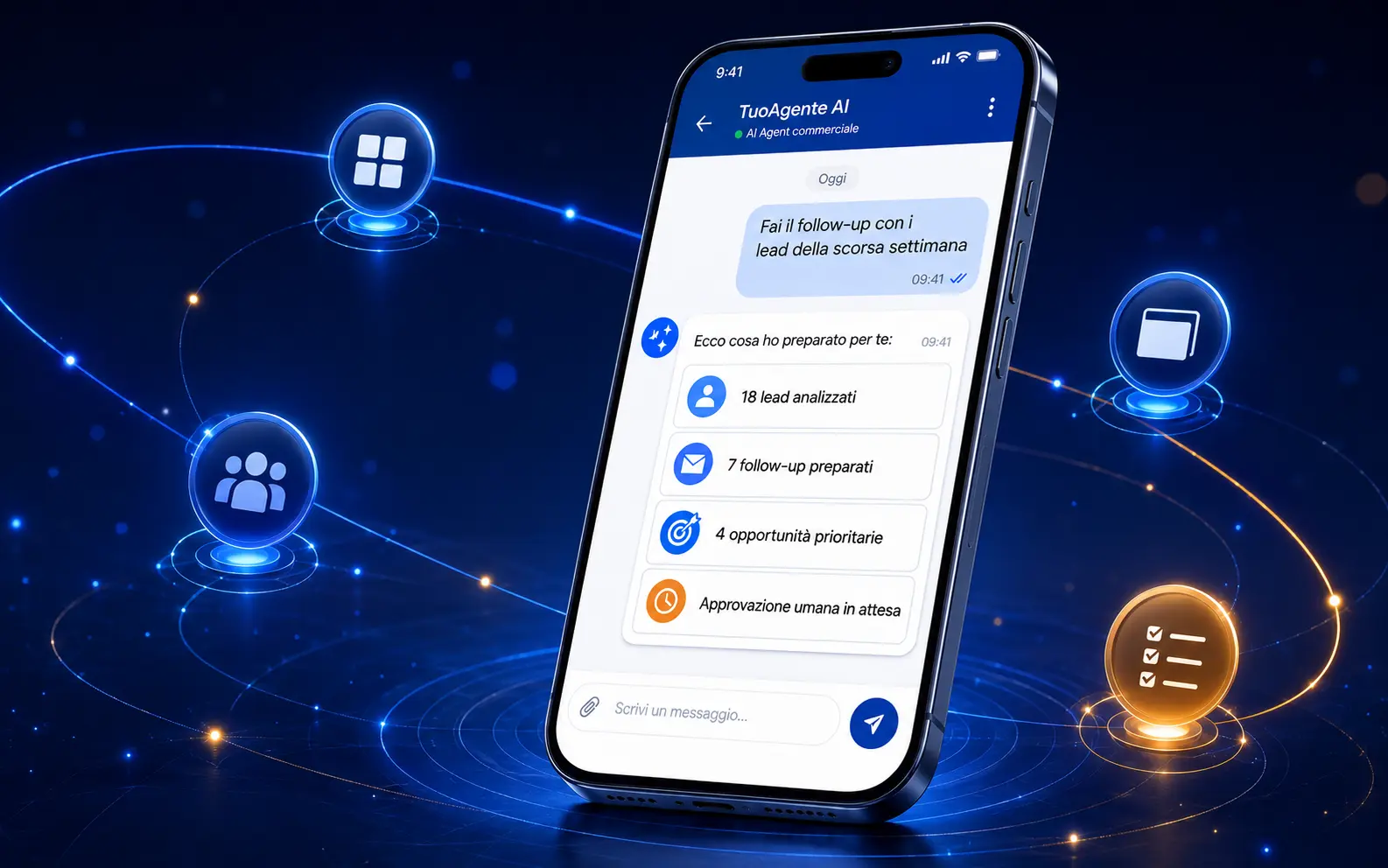
Each demo combines a chat request, the right applications for the process and a result ready for review.
“AI Agent, follow up with every lead from last week.”
Checks the CRM, identifies leads to contact, prepares messages and waits for your approval.
 TuoAgente AIOperational now
Illustrative examples. Capabilities depend on the connected system, permissions and configured workflow. Sensitive operations require human approval.
From communication and documents to projects and CRM: the agent only coordinates the accounts and operations you authorize.
Write what needs to be done.
Interprets rules, context and limits.
Checks or prepares the authorized action.
Receive the outcome and stay in control.
The boundary is clear. One supported API system, one account, one operational flow and up to three agreed operations in the Management plan.
Salesforce, HubSpot, NetSuite, QuickBooks, Xero and proprietary platforms require separate analysis and pricing.
TuoAgente AI makes your first agents and standard connections accessible. When a project involves multiple systems, critical processes or custom development, Fabbrica AI steps in.
Public pricing, direct purchase and a clear path to get started.
Explore plans →Architecture, FDE, complex integrations, security and governance.
Visit Fabbrica AI ↗You by message → Hermes on the VPS → ChatGPT → skills, knowledge and connected tool.
AgentFunction, rules and limits.
SkillProcedures for a specific task.
KnowledgeMaterials organized as context.
ConnectionAuthorized operations in a system.
Learn independently with plan 1. In plans 2, 3 and 4, our virtual agent guides and performs the technical setup through Telegram.
Create your first AI agent yourself.
Technical setup guided and performed by our virtual agent through Telegram.
Tailored setup guided and performed by our virtual agent through Telegram.
Management setup led by our virtual agent through Telegram, with team oversight.
VPS, ChatGPT, optional n8n, domain, paid APIs and external licenses are not included.
✓ Permissions limited to what is necessary
✓ Human confirmation for sensitive actions
✓ No autonomous financial transactions
✓ Testing before delivery
✓ Revocable access
✓ Process control, not private surveillance
No. They are external services purchased and managed by the customer.
No. It is a DIY digital product with a guide, templates and weekly content.
No. Configuration uses a guided briefing. The meeting is included in the Management plan.
One supported API system, one account, one operational flow and up to three agreed operations.
Yes, with an additional assessment and quote.
No. ERPs, management platforms and proprietary software require a custom assessment.
Emails follow the authorized flow. Payments are only organized and prepared: human authorization remains mandatory.
Yes. AI responses may be inaccurate and important decisions must be reviewed.
Learn, configure or connect your agent to the tools you use every day.
Explore the four plans →